2.1 Add a media playlist
macOS
Windows -> Files app -> Oh my Sound
...
Various methods like AirDrop or similar technologies can be used to transfer audio files to the Files app space. “Oh my Sound” copies audio files from the "Files app" space to the "Oh my Sound" space. Deleting playlist files in "Oh my Sound" only affects files in the "Oh my Sound" space and does not impact audio files in the Files app.
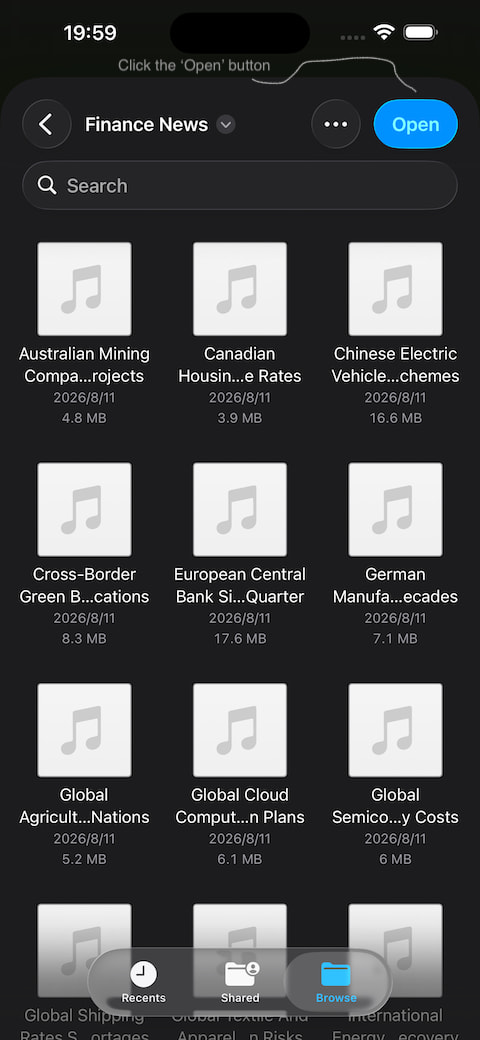
Add the audio files in the current directory under the Files a
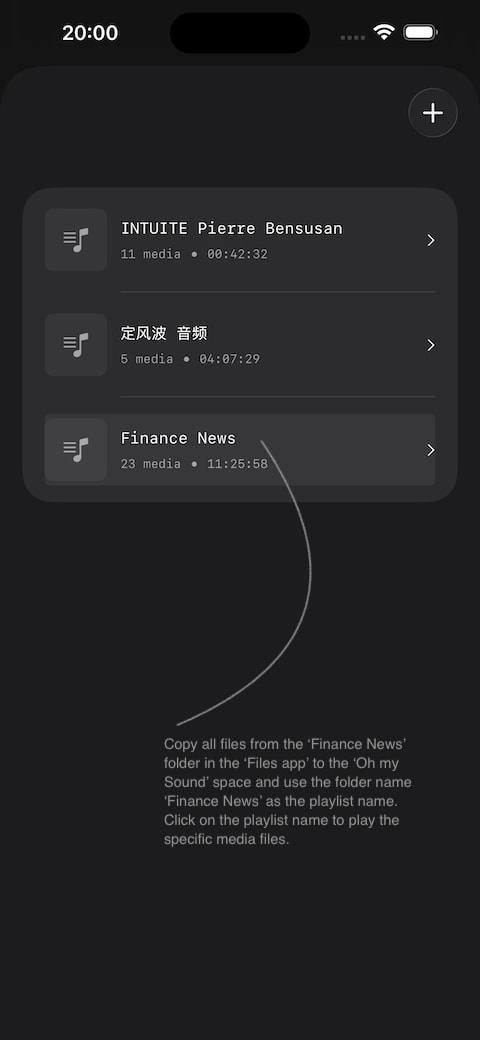
pp, and click the 'Open' button to add them. The text on this 'Open' button is set by the system, and developers can't change it to 'Ok' or 'Add', etc. You can think of it as opening all the audio files in the current directory into the Oh my Sound space and creating a playlist named after that directory.
Step 1: Media files to 'Files app' Space
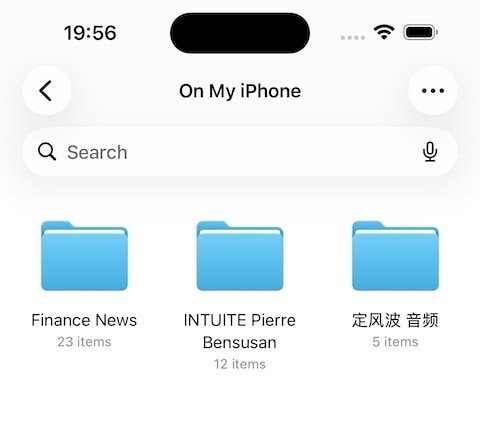
Step 2:
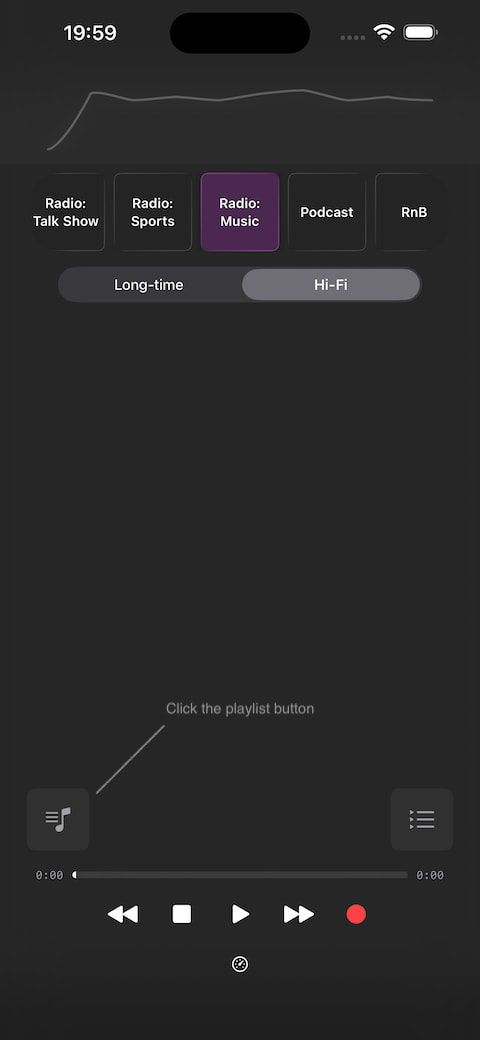
Step 3:
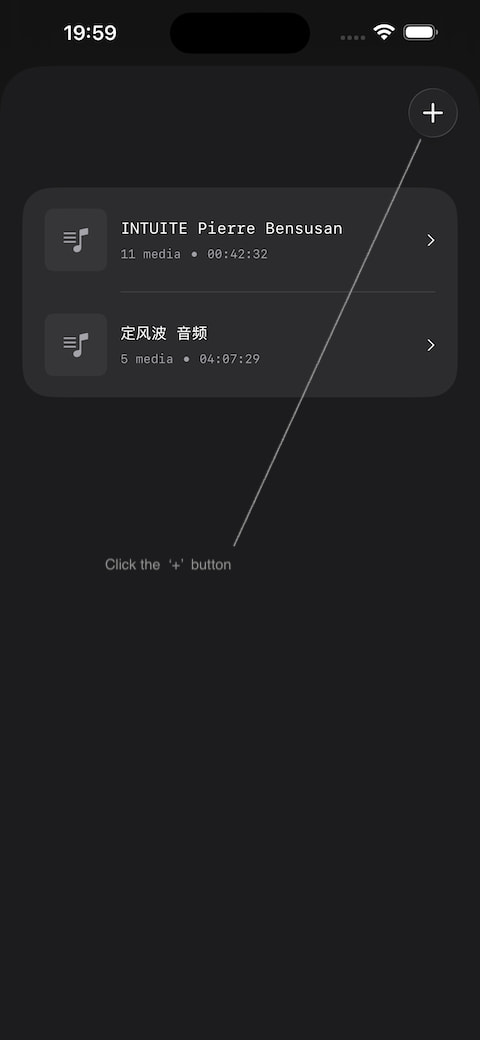
Step 4:
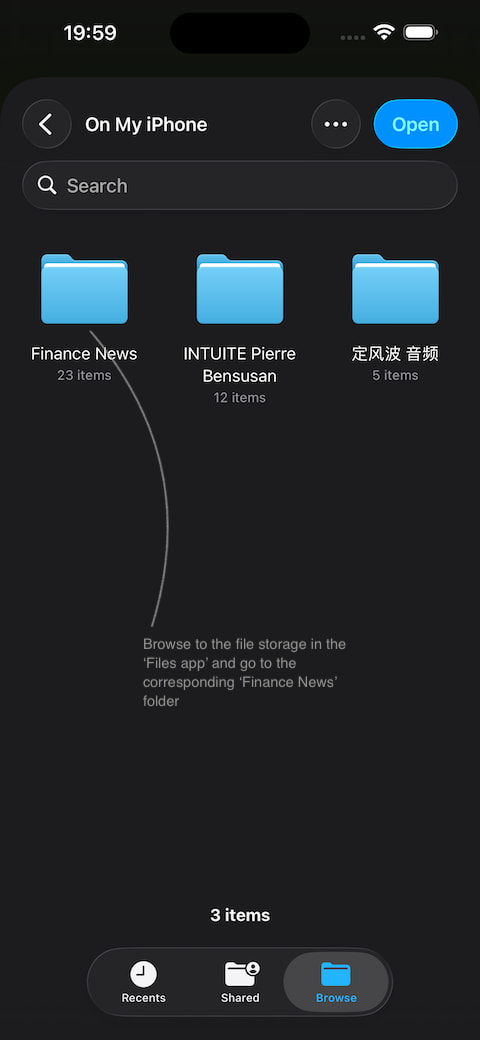
Step 5:
Step 6:
Step 7:

Step 8:
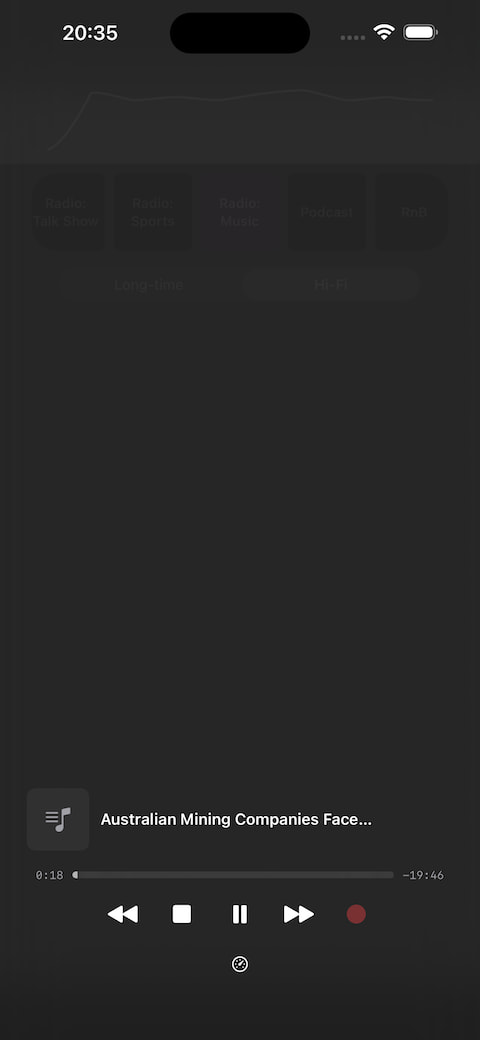
Click the song name to go directly to the current playlist.
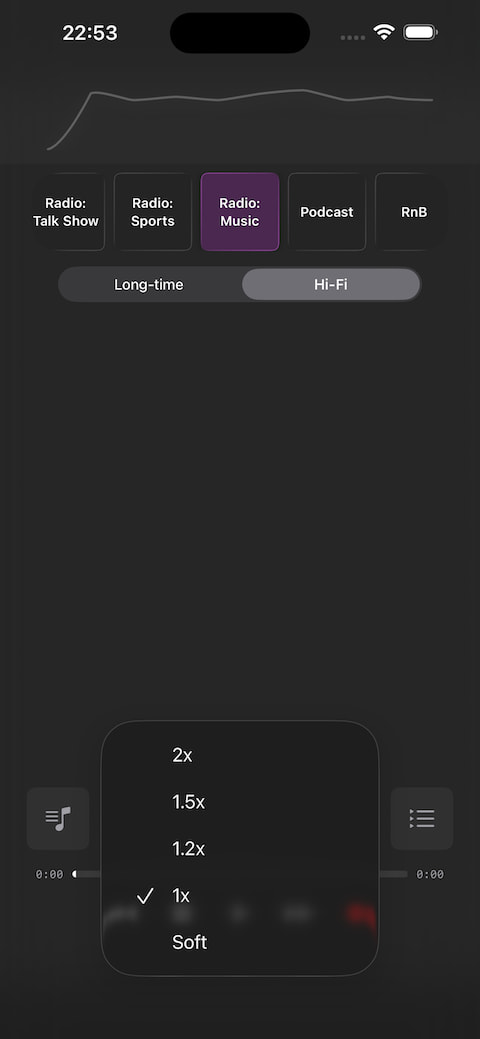
Added a playback speed adjustment button for quickly getting audio file information. One of the options, 'Soft,' slightly eases some music for a more relaxed and comfortable listening experience.
You need to select the media first before you can change the playback speed.
2.2. High-Fidelity Audio Playback:
Playback is in high-fidelity direct-through mode, fully reflecting the recording effect (no effects are added during playback, which is conducive to monitoring the actual recording), and it can also be used for high-fidelity enjoyment of songs.
. Playback of recordings: Recording playback is in single-track loop mode (each track will automatically stop after repeating up to 60 times), which is helpful for monitoring recording details. This feature makes it very practical for language learning and pronunciation practice.
. Playback of music: Music playback is in full loop mode: it automatically plays the next track, and stops automatically after the playlist finishes.
. Fast forward / rewind buttons: Fast forward or rewind 10 seconds when playing the recording.
. Stop button: authoritative button to stop playback, pause, or recording. Whenever in doubt, press the stop button.
. Delete, rename, share: swipe left or right on the recording row (or song title row) to access the corresponding buttons.
. If a recording cannot be played, it is usually because the recording duration is 00:00.
. Sometimes, when using a single Bluetooth headset, playback may not be heard (sound comes from the phone speaker). This is because the Bluetooth headset is not a full-duplex headset and both are needed for playback.
. A good headset can clearly let you hear excellent, distinct sound effects (the phone speaker is too small...).
3. Supports background recording and playback. Supports lock screen playback: lock screen playback varies depending on whether playing from the recording list or the playlist.
4. Ergonomic design: Playback operations and recording operations have interlocking buttons, greatly reducing the chance of misuse. If the iPhone screen has a protective film, you can completely use your thumb to operate most of the screen and easily handle iPhone recording, treating it as a portable, solid professional handheld recording device, which is extremely convenient to use.
5. Because it is far from a smooth network environment, it is impossible to access many international sites from CN to provide necessary app introductions. Please help introduce this app.
6. Portable music studio, portable Sound Transformer: iPhone (iOS 26+) + Oh my Sound -> I am a national idol, anytime, anywhere
7. The app has been tested repeatedly over a long period and is very stable and power-saving.
Note: If there is no sound from the phone speaker during playback, or if there is no sound from wired headphones... it may be because the app detected that Bluetooth is turned on. And your Bluetooth headphones automatically connected. In that case, the app will automatically route the sound output to Bluetooth...
|